Stylus tip and records
- If dirt and grime are stuck to the stylus tip, clean it as needed. To clean the stylus, first turn the control knob to the “STOP” position, turn off the power switch, and then disconnect the AC adapter from the outlet.
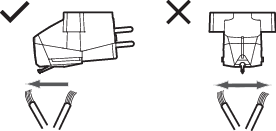
- We recommend using a stylus cleaner (sold separately by Audio-Technica) if the stylus tip is considerably dirty. Clean the stylus tip by moving the brush from the rear to the front of the stylus tip.
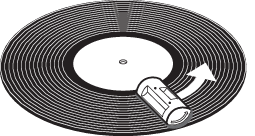
- For more details on record and stylus cleaners (sold separately by Audio-Technica), please visit the Audio-Technica website (