Turning on the product
-
Insert the plug of the AC adapter into the power supply terminal.
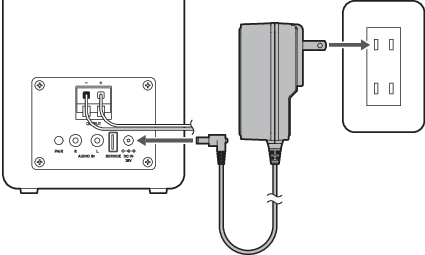
-
Plug the AC adapter into an outlet.
The indicator lamp will light in red.
-
Press the power button.
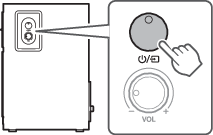
The power turns on, and the indicator lamp lights up as follows.
Indicator lamp Status Lights solid green Power on (Wired mode) Lights solid blue Power on (Bluetooth mode, Bluetooth device connected) Flashes blue (fast) Power on (Bluetooth mode, Bluetooth device not connected) Flashes blue (slow) Power on (Bluetooth mode, Bluetooth device connection standby)