Adding an online microphone
Add a microphone in the same network (online environment).
- Click the margin in the main area to deselect any microphones, beam zones, etc., that may be selected.
- Up to 20 microphones can be added to each project.
-
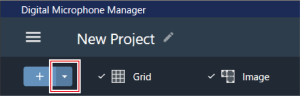
Click the area in the red box on the toolbar.
-
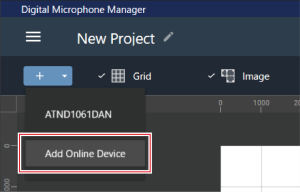
Click “Add Online Device” in the pull-down menu.
-
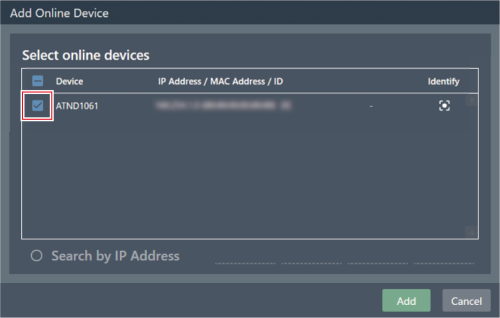
Select microphones to be added by clicking the corresponding check boxes.
- Clicking the check box at the top selects or deselects all check boxes.
- Online microphones can also be added by IP address by clicking “Search by IP Address”.
-
Click “Add”.

The microphone is added to the main area.