Updating Digital Microphone Manager
-
Click “Update Now” on the top menu screen.
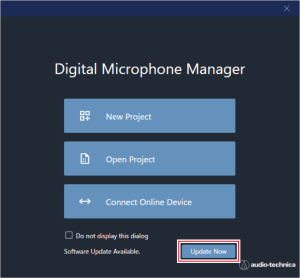
The update file search will start and the setup screen will appear.
-
Perform the update by following the instructions on the setup screen.
Once the update is complete, Digital Microphone Manager will automatically reboot.