Updating the firmware
-
Click “Utilities” under “System Settings.”
- Check that the connected speakers appear under “Speaker Firmware Update.”
-
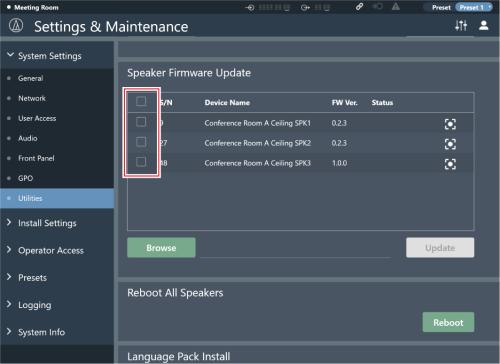
Click the check boxes of the speakers that you want to update.
- Clicking the check box at the top selects or deselects all check boxes.
-
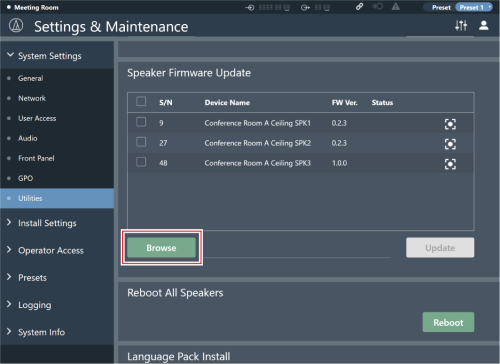
Click “Browse.”
-
Select and open the version upgrade file from the file selection screen.
-
Click “Update.”
- The update will start. Once the update is complete, the speaker will automatically reboot and a message will appear indicating that the update has completed.
-
Check whether the “Status” shown on the screen is “Completed.”
- If the update fails, “Failed” is displayed. A communication error may have occurred. If this happens, re-check the speaker connection status and update again.
-
Check the version.
- Check the version in “System Info” to confirm that the firmware was correctly updated.