Transmitter multi registration

Multi registration is a function for registering multiple transmitters to a single channel.

  • This function is useful because it allows you to immediately switch to a different transmitter when the battery of the one in use dies.
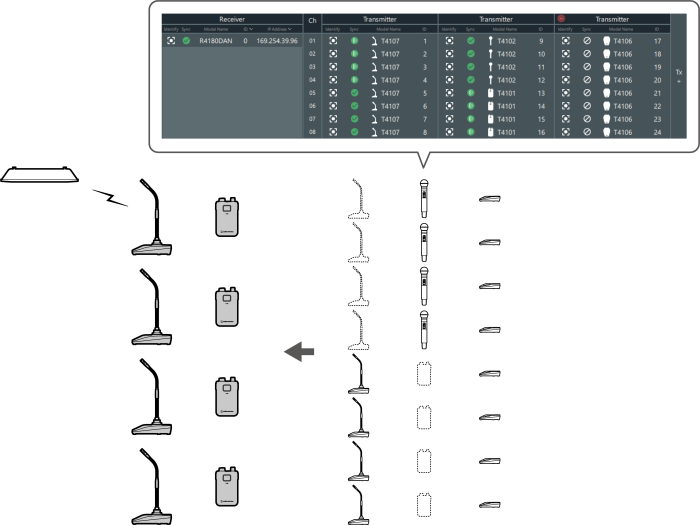
  • Among multiple transmitters that have been registered, you can specify one transmitter to link and save this as a preset in advance. Refer to Presets for details.
  • You cannot link a transmitter to a channel to which a transmitter has already been linked. To switch between transmitters, turn off the linked transmitter, and then turn on the transmitter to link. Alternatively, recall a preset in which the combination containing the transmitter to link is saved (Recalling a preset).
  • If you attempt to simultaneously connect multiple transmitters that have been registered, the first transmitter that connects to the receiver is linked.

Adding a transmitter area

When registering multiple transmitters, add transmitter areas.

  • One system can have up to six transmitter areas.
  1. Click the part indicated with the red frame on the “Link Configuration” screen.
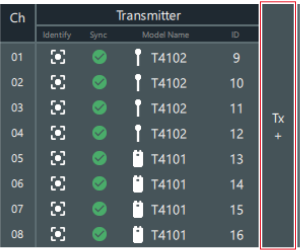
    A transmitter area is added, allowing you to register multiple transmitters.