ATW-T1401
How to insert batteries
-
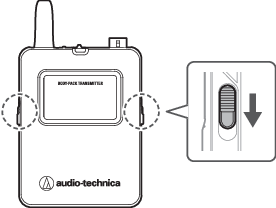
Slide the battery cover latches down.
-
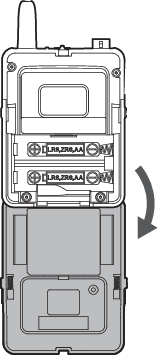
Open the battery cover while holding the latches down.
-
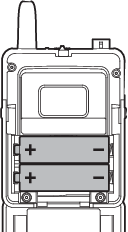
Insert the batteries according to the plus (+) and minus (−) marks found inside the battery compartment.
Turning the device on/off
-
With the device off, press and hold (approximately 2 seconds) the power button.

- Power button
The device turns on and its indicator lamp lights.
Indicator lamp Status Lit in green Communication has been established. Flashing in red The device is searching for the receiver to communicate with. -
With the device on, press and hold (approximately 2 seconds) the power button.
The device turns off.
Switching between muted and unmuted
To change the setting, see Setting the mute mode (ATW-T1401/ATW-T1402) under “Channel settings”.
-
Slide the mute switch.
- Slide the mute switch right to mute the device and slide the mute switch left to unmute the device.
- The indicator lamp displays the status.
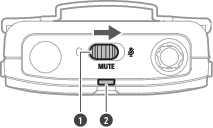
- Mute switch
- Indicator lamp
Indicator lamp Status Lit in red Muted Lit in green Unmuted
How to connect an external device
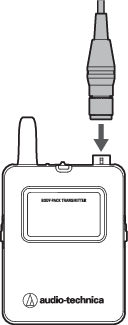
Connect an external microphone, guitar cable, or other device that supports the cW connector.
-
Connect a microphone, etc. to the input connector.

|
|
|---|
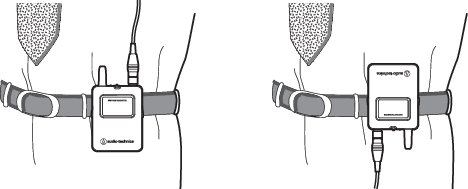
How to wear the device
You can use the belt clip to attach the device to a belt or something similar when using the device.